First steps, guides and the most common questions. Anything else by email.
Loudness dB10 Hz−73.10:34.1
First steps
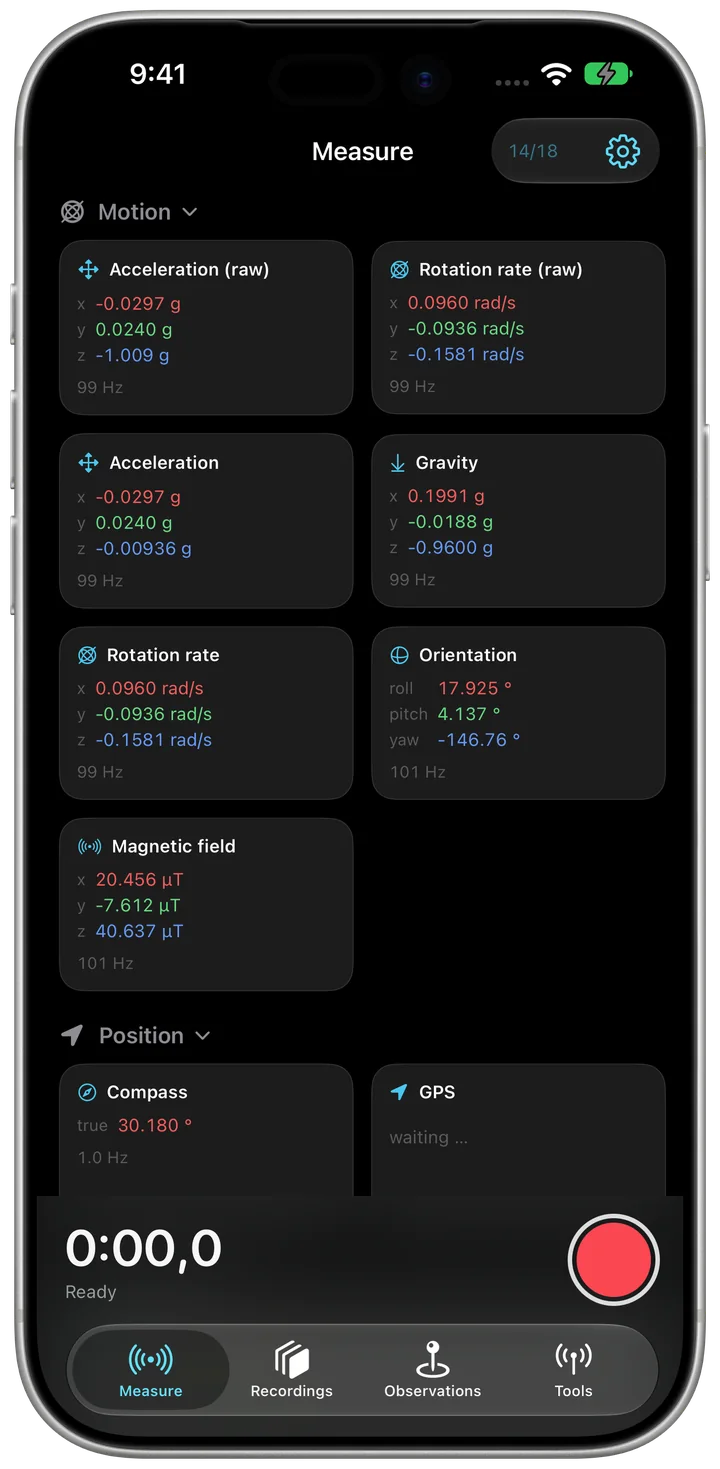
Measure. On the “Measure” tab every value runs right away. Top right, you choose which sensors record.
Record. The red button starts a recording. Motion, GPS, sound and video run on the same clock.
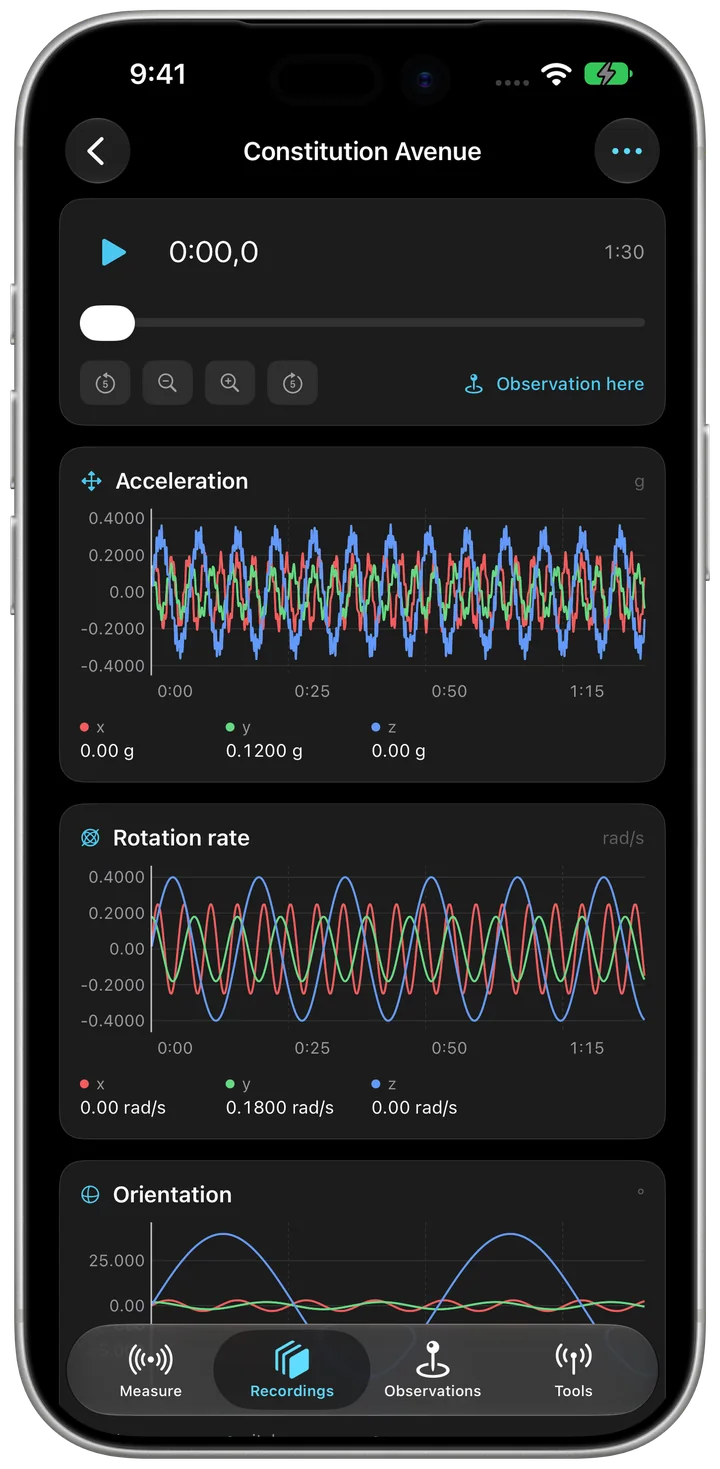
Play back and share. Under “Recordings”, video and curves play in sync. The menu top right exports the data.
Guides
Make a recording
Open the “Measure” tab. The values run right away, even without recording.
Tap the sensor count top right and choose what should record.
Tap the red button. Every sensor now writes on the same clock.
“Add annotation” marks a moment with a note.
Tap the button again. “Recording saved” appears and the recording is under “Recordings”.
Play back and export
Open the “Recordings” tab and tap a recording. Video and curves play in sync.
Open the menu top right.
Choose “Export as CSV”, and with GPS also “GPS track as GPX” or “GPS track as KML”. These three are free.
Share the file: to the Files app, by AirDrop or by mail.
Document damage along a route
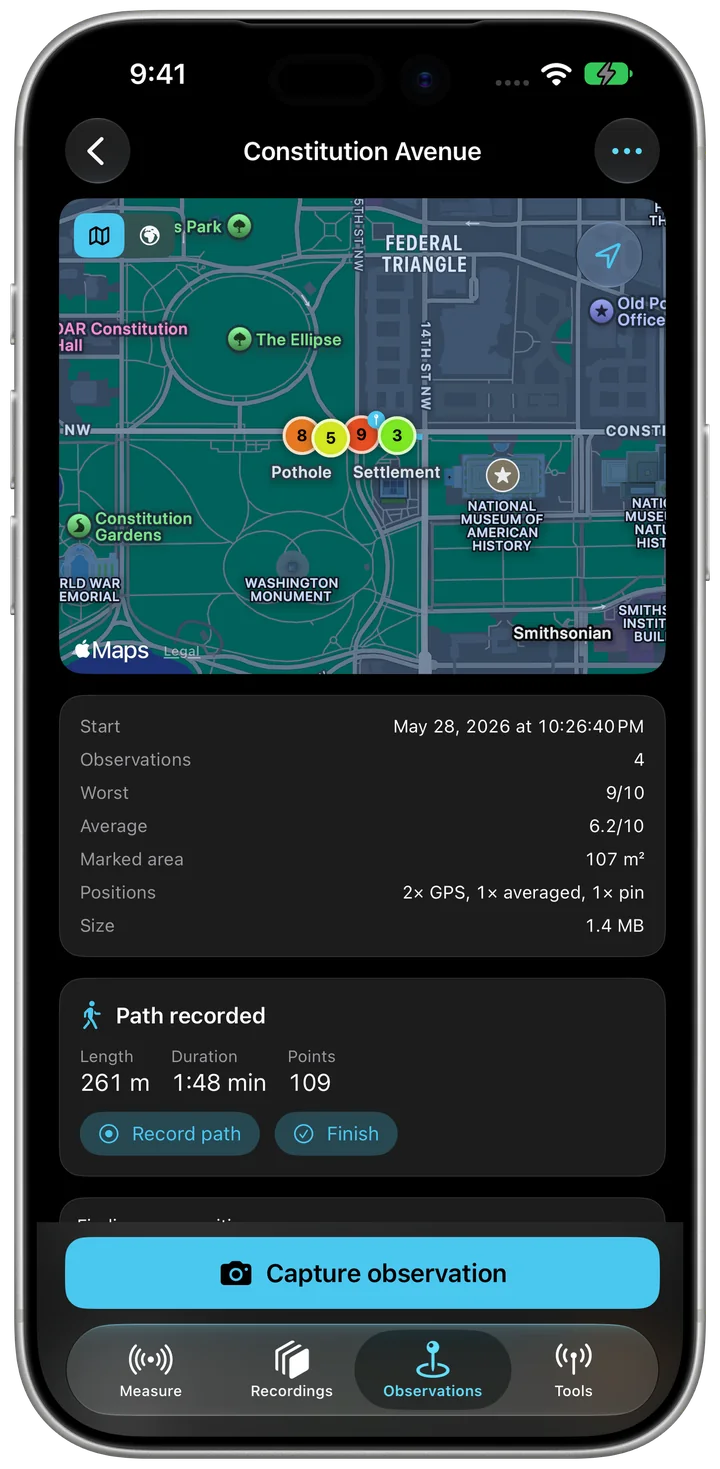
Open the “Observations” tab and tap “Start a route”, later “New route”.
Tap “Capture observation” and take photos or clips.
For the position, stand still and tap “Measure”, or place the spot with “Pin”.
Tap “Save”. The route's menu has “Inspection report (PDF)” and the exports for QGIS and Google Earth.
Check network and Bluetooth
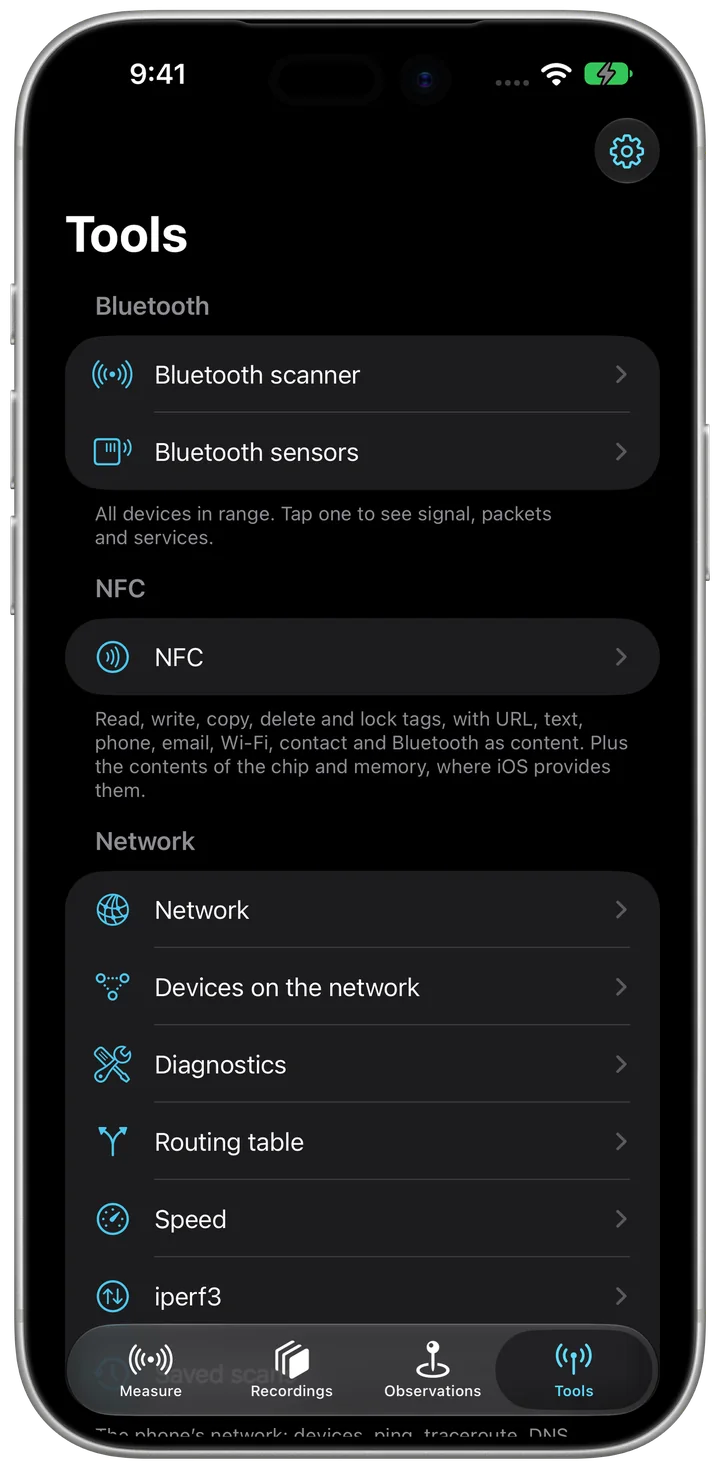
Open the “Tools” tab.
“Bluetooth scanner” lists every device in range; a tap shows signal and services.
“Devices on the network” scans your own network, “Diagnostics” has ping, traceroute, DNS and ports.
“Speed” measures the throughput of your connection.
Watch values live in a browser
Part of Sensorstorm Pro.
On the “Measure” tab, open the settings top right.
Open “Live streaming” and switch on “Available over Wi-Fi”.
Open the address shown in a browser on a device on the same Wi-Fi. Scripts get the same values as JSON at /data.
A camera move for Blender
Part of Sensorstorm Pro.
In the settings, open “Video, audio and 3D” and choose “ARKit” under “Camera pose”.
Make a recording with video.
Open the recording, open the menu top right and choose “Camera move for Blender”.
Analyse a recording
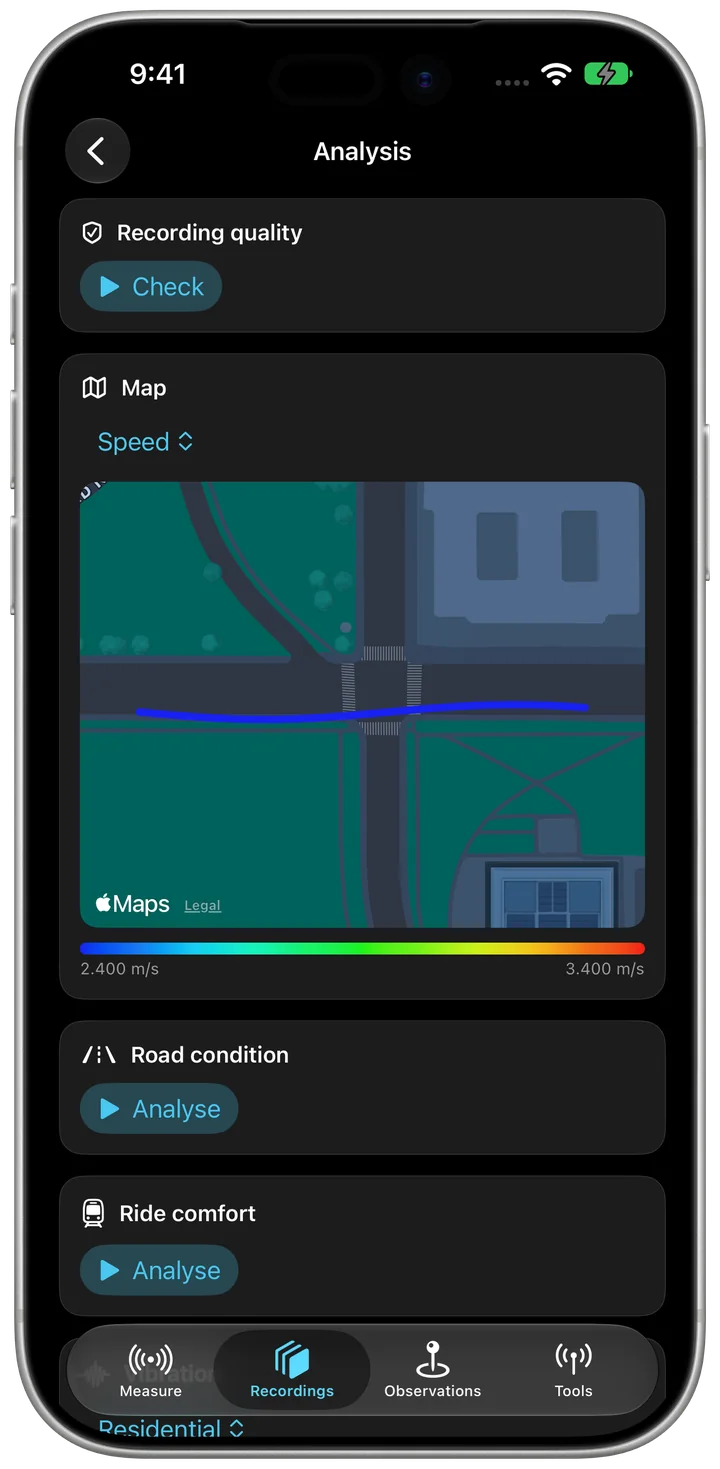
Under “Recordings”, open a recording and tap “Analysis”.
“Recording quality” shows gaps and rate; “Report as PDF” sums it up.
Under “Map”, choose with “Colour by” what the path should show.
“Road condition”, “Ride comfort”, “Lift journeys” and “Vibration” need a recording with acceleration; the app says there what is missing.
Create a rule
In the settings, open “Rules” and tap “Add rule”.
Give it a name and use “Add condition” to choose: reading, location, recording duration, MQTT message or external device.
Use “Add action” to set what happens: notification, add annotation or stop recording.
Tap “Save”. Rules run during a recording; the “Console” shows what triggered.
Catch impacts automatically
In the settings, open “Event recording” and tap “Turn on”.
Set “Threshold”, “Pre-roll” and “Post-roll”.
Leave the app open on the “Measure” tab. Every impact above the threshold, with the seconds before and after, lands in “Saved events”.
Connect a second iPhone
On the other iPhone, open “Second iPhone and Bluetooth service” in Sensorstorm and switch on “Offer as Bluetooth sensor”; to start together, also “Allow remote control”.
On this iPhone, open the same page and tap “Find second iPhone”.
Switch on “Start and stop together”. The recording keeps the clock offset to the second iPhone.
Record with Apple Watch
Open Sensorstorm on the watch; the iPhone needs to be nearby.
Tap “Start recording”. Wrist motion goes into the iPhone's recording.
“Mark moment” marks a moment, “Stop recording” stops.
Frequent questions
Does the app need an account?
No. There is no sign-in, and every recording stays on your device.
Is Pro a subscription?
No. Buy it once and it never expires. Family Sharing works too.
Can I get my data out without Pro?
Always. CSV, GPX and KML stay free.
The position is a few metres off. Why?
That is how accurate GPS is. When capturing an observation, stand still and tap “Measure” so the app averages the fixes. Or place the spot by hand with “Pin”.
Recording stops when the screen locks.
In iOS Settings, set Location for Sensorstorm to “Always”. The recording then keeps running.
I can't see a sensor.
On the “Measure” tab, tap the sensor count top right. That is where you switch on sensors, more sources and Bluetooth sensors.
Restore purchases
Open the settings in the app and tap “Restore purchases”. Use the same Apple Account you bought with.
Contact
A question, a bug, a wish: write to us. Helpful: your device, the iOS version and the version shown in the app's settings.